
מערכות רדיו ומקלטים: בחירת קישור שליטה אמין
ערוצים, פרוטוקולים, טלמטריה, טווח, יתירות ומה לבדוק לפני התאמת משדר ומקלט לדגם.
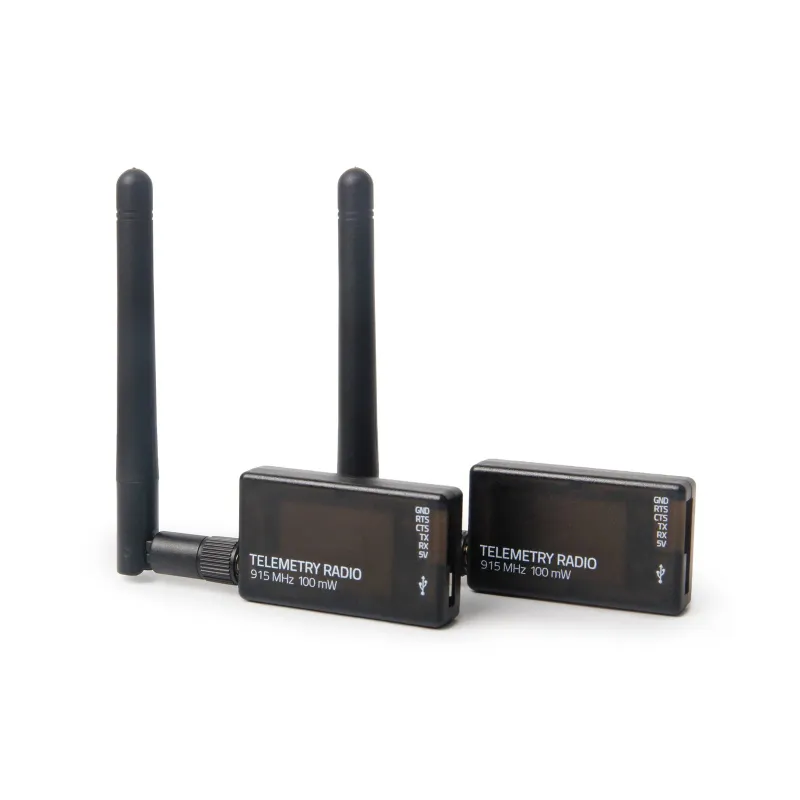

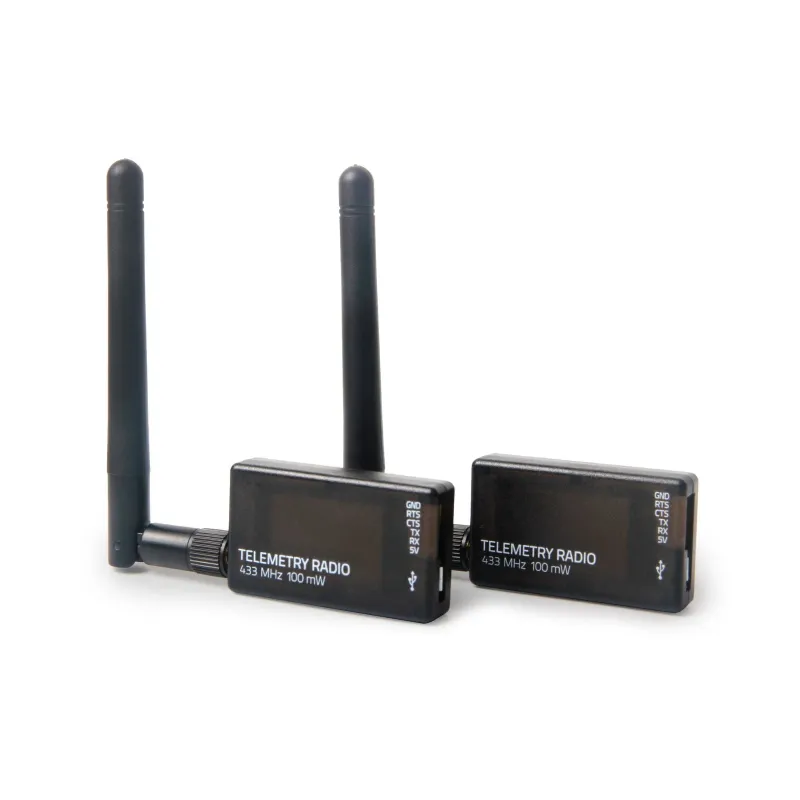

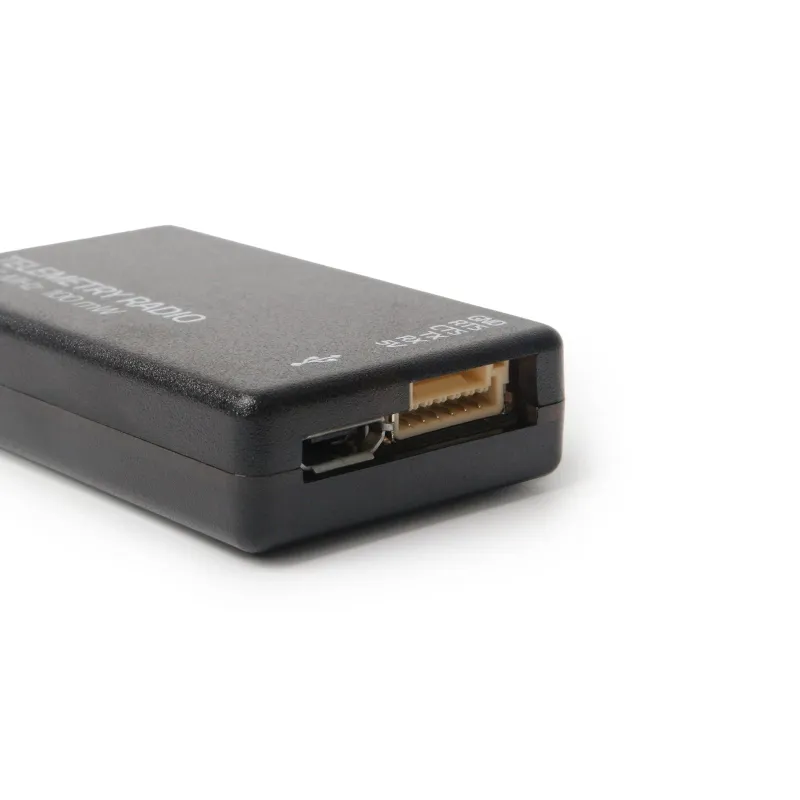
Holybro SiK Telemetry Radio V3: פריט בקטלוג Holybro, בקטגוריית טלמטריה וקישורי נתונים. הדף מיועד לבדיקת התאמה ולפנייה לגבי אספקה לשימוש אזרחי.
| מותג | Holybro |
|---|---|
| דגם | SiK Telemetry Radio V3 |
| Receive sensitivity | -121 dbm @2kbps RF Data Rate, -105 dbm @64kbps RF Data Rate |
| RF Data Rates | 2, 4, 8, 16, 32, 64(default), 96, 128, 192, 250 kbps |
| Serial Interface Data Rate | 1.2, 2.4, 4.8, 9.6, 19.2, 38.4, 57.6(default), 115.2 kbps |
| Frequency Band | 902MHz - 928MHz or 414MHz - 460MHz |
| Interference Immunity | Frequency Hopping Spread Spectrum (FHSS) Configurable duty cycle |
| Address Options | Network ID: 0 –255 |
| Channels | Up to 50 Frequency Hopping Channels |
| Supported Network Topologies | Point-to-point |
| Configuration Method | MissionPlanner or AT Commands |
| Data Framing | Standard or MAVLink protocol framing |
| Error correction | Corrects up to 25% of bit errors with open-source SIK firmware |
| Serial Data Connector & Interface | 6-pin JST-GH connector, 3.3V-TTL |
| SMA Connector | RP-SMA female |
| Operating Temperature | -40~85°C |
This Holybro SiK Telemetry Radio is a small, light, and inexpensive open-source radio platform that typically allows ranges of better than 300m “out of the box” (the range can be extended to several kilometres with the use of a patch antenna on the ground). This radio is plug-n-play, ready for all Pixhawk Standard and other flight controllers, providing the easiest way to set up a telemetry connection between your Flight Controller and a ground station. It uses open-source firmware that has been specially designed to work well with MAVLink packets and to be integrated with the Mission Planner, Ardupilot, QGroundControl, PX4, and Flight Controller. The radios can be either 915 MHz or 433 MHz, and you should purchase the model that is appropriate for your country/region.
Open-source SIK firmware
Plug-n-play for Pixhawk Standard Flight Controllers
The Easiest way to connect your Flight Controller and Ground Station
Interchangeable air and ground radio
Micro-USB port (Type-C Adapter Cable Included)
6-position JST-GH connector
2-way full-duplex communication through adaptive TDM UART interface
Transparent serial link
MAVLink protocol framing
Built in FT230X/FT23 USB to BASIC UART conversion IC
Supply voltage: 100mW & 500mW version: 5V DC (from USB or JST-GH) 1W version: 7~28V DC via XT30
100mW & 500mW version: 5V DC (from USB or JST-GH)
1W version: 7~28V DC via XT30
Transmit current: 100 mA at 20 dBm
Receive current: 25 mA
Serial interface: 3.3 V UART
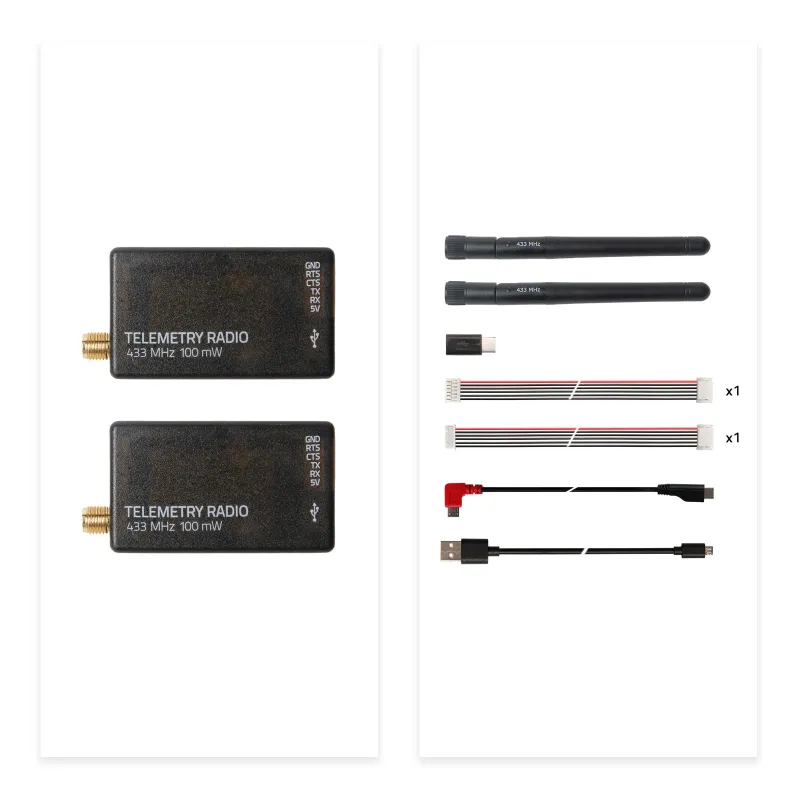
100mW & 500mW options Radio modules with antennas *2 Micro-USB to USB-A cable *1 Micro-USB to Micro-USB OTG adapter cable *1 Micro USB to Type-C Adapter JST-GH-6P to JST-GH-6P cable *1 (for Pixhawk Standard FC) JST-GH-6P to Molex DF13 6P (for Pix32, Pixhawk 2.4.6, etc.)
Radio modules with antennas *2
Micro-USB to USB-A cable *1
Micro-USB to Micro-USB OTG adapter cable *1
Micro USB to Type-C Adapter
JST-GH-6P to JST-GH-6P cable *1 (for Pixhawk Standard FC)
JST-GH-6P to Molex DF13 6P (for Pix32, Pixhawk 2.4.6, etc.)
Single 1W 1W Radio modules with antennas *1 High-gain omnidirectional antenna *1 Male Type-C to male Type-C USB cable *1 Male XT30 to female XT30 adapter cable *1 Male XT30 to female XT60 adapter cable *1 JST-GH-6P to JST-GH-6P cable *1 (for Pixhawk Standard FC) Rubber damping grommet *3
1W Radio modules with antennas *1
High-gain omnidirectional antenna *1
Male Type-C to male Type-C USB cable *1
Male XT30 to female XT30 adapter cable *1
Male XT30 to female XT60 adapter cable *1
Rubber damping grommet *3
Dual 1W 1W Radio modules with antennas *2 High-gain omnidirectional antenna *2 Male Type-C to male Type-C USB cable *1 Male XT30 to female XT30 adapter cable *1 Male XT30 to female XT60 adapter cable *1 JST-GH-6P to JST-GH-6P cable *1 (for Pixhawk Standard FC) Rubber damping grommet *3
1W Radio modules with antennas *2
High-gain omnidirectional antenna *2
Telemetry-Radio-V3-Quick-Start-Guide
| SiK Telemetry Radio 100mW | SiK Telemetry Radio 500mW | SiK Telemetry Radio 1W | |
|---|---|---|---|
| Max RF Power | 20 dBm | 27 dBm | 30 dBm |
| Antenna Gain | 2dBi | 5dBi | |
| RF Data Rates | 2, 4, 8, 16, 32, 64(default), 96, 128, 192, 250 kbps | ||
| Serial Interface Data Rate | 1.2, 2.4, 4.8, 9.6, 19.2, 38.4, 57.6(default), 115.2 kbps | ||
| Frequency Band | 902MHz - 928MHz or 414MHz - 460MHz | ||
| Interference Immunity | Frequency Hopping Spread Spectrum (FHSS) Configurable duty cycle | ||
| Address Options | Network ID: 0 –255 | ||
| Channels | Up to 50 Frequency Hopping Channels | ||
| Supported Network Topologies | Point-to-point | ||
| Configuration Method | MissionPlanner or AT Commands | ||
| Data Framing | Standard or MAVLink protocol framing | ||
| Error correction | Corrects up to 25% of bit errors with open-source SIK firmware | ||
| Serial Data Connector & Interface | 6-pin JST-GH connector, 3.3V-TTL | ||
| USB | Micro-USB | Type-C | |
| SMA Connector | RP-SMA female | ||
| Power Connector | NA | XT30 | |
| Operating Temperature | -40~85°C | ||
| Dimension | 28 x 53 x 10.7mm (without antenna) | 66.5 x 32 x 16.5mm (without antenna) | |
| Weight | 23.5g w/ antenna | 67g w/ antenna | |
| Input Voltage (DC) | 5V | 7~28V | |
| תצורה | מק״ט יצרן |
|---|---|
| 100mW 433MHz | 17012 |
| 100mW 915MHz | 17013 |
| 500mW 433MHz (Discontinued) | 17014 |
| 500mW 915MHz (Discontinued) | 17015 |
זמינות, מחיר, תכולת החבילה וגרסת החומרה יאושרו בפנייה. אין בדף התחייבות למלאי מקומי, זמן אספקה או מעמד של נציגות רשמית. יש לוודא התאמה למתח, למחברים, לקושחה ולדרישות ההפעלה לפני שימוש.
המדריכים האלו מסבירים את ההרכבה, בדיקות הבטיחות ובחירת האביזרים שבדרך כלל חשובים לסוג המוצר הזה.
ערוצים, פרוטוקולים, טלמטריה, טווח, יתירות ומה לבדוק לפני התאמת משדר ומקלט לדגם.
מדריך Binding מעשי: תאימות פרוטוקול, מצב Bind, הזנת מקלט, זיכרון דגם, בדיקות הגאים וטעויות נפוצות.
כיוון Failsafe לדגמים חשמליים ודלק: התנהגות מצערת, איבוד אות, מצבי מפסקים ובדיקה בטוחה לפני טיסה.
איך להפוך טיסן לעדין יותר למתחילים בעזרת Low Rates, High Rates ו-Expo בלי להסתיר בעיות מכאניות.
בדיקות קרקע, תכנון המראה, טרימים, טיימר סוללה ואסטרטגיית נחיתה ראשונה לדגם חדש או מתוקן.
תגיות: Holybro,
אנו משתמשים בקובצי עוגיות חיוניים להפעלת האתר. קובצי עוגיות שאינם חיוניים יופעלו רק לאחר הסכמה. ניתן לקרוא את המדיניות המלאה כאן.