
Radio systems and receivers: choosing a reliable control link
Channels, receiver protocols, telemetry, range, redundancy and what to check before matching a transmitter to a model.
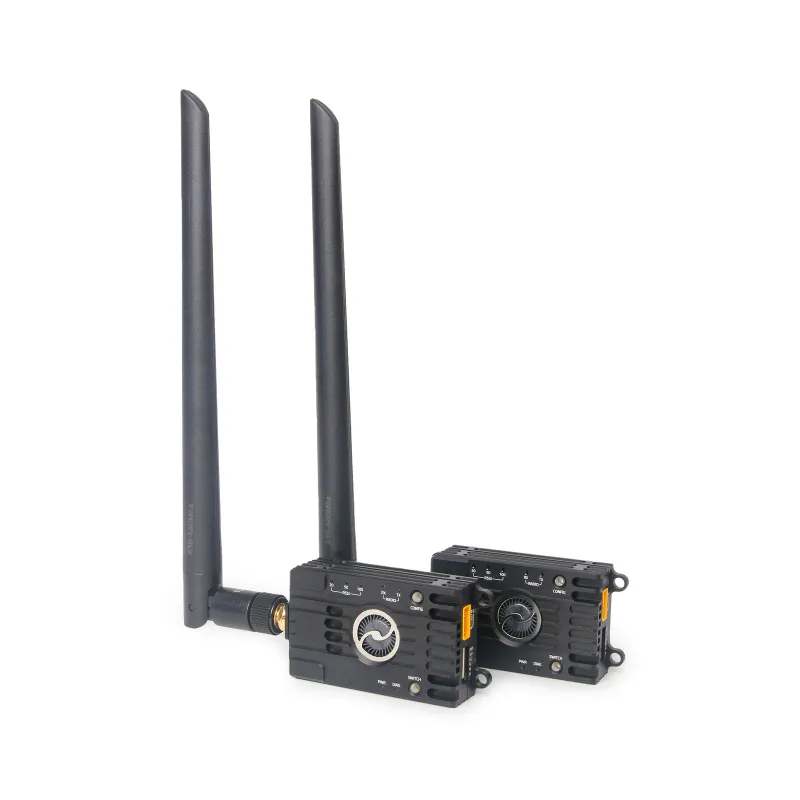
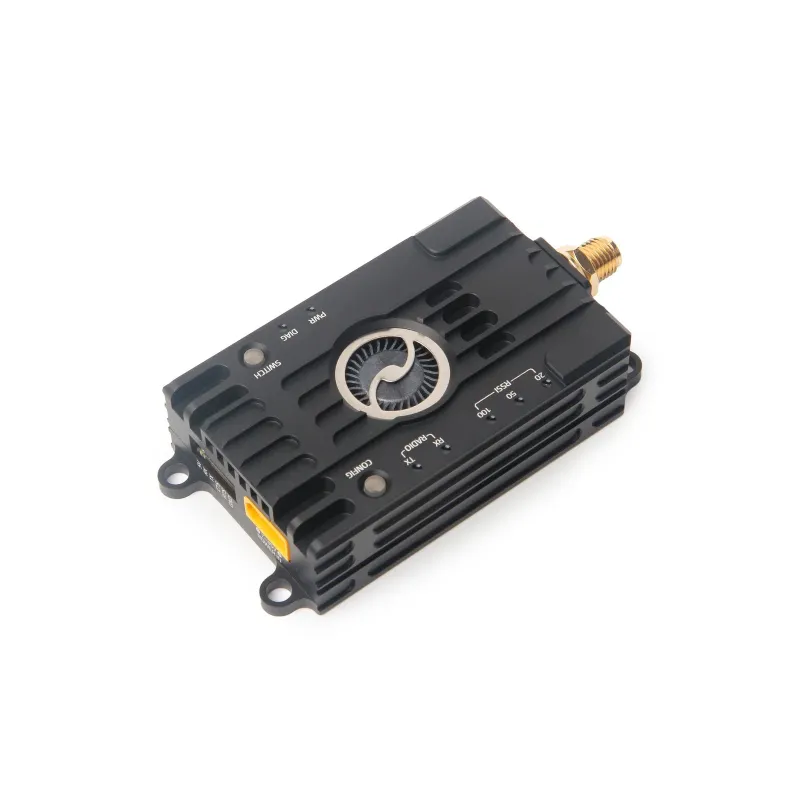
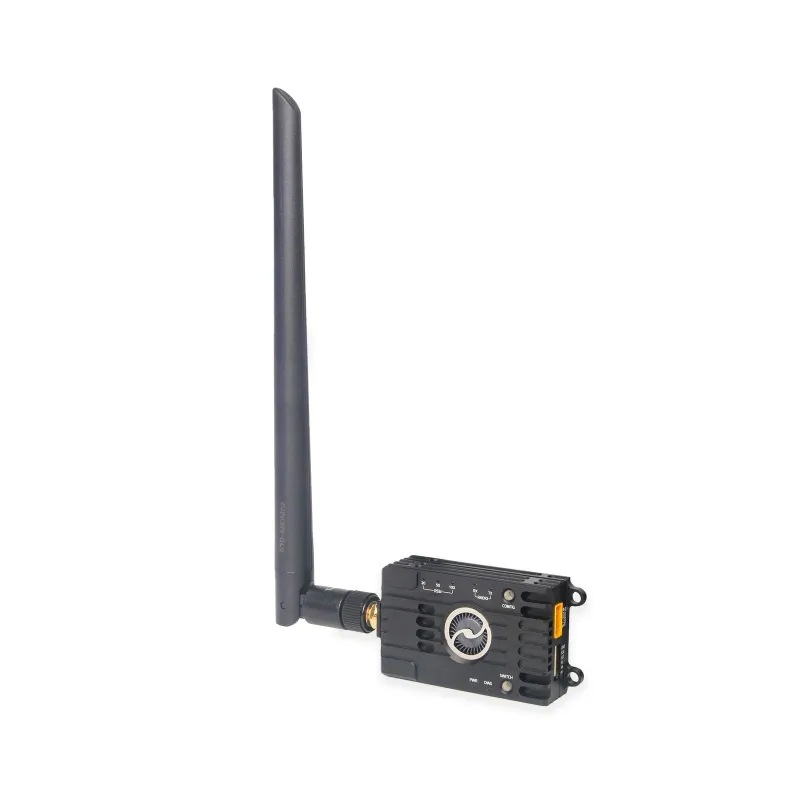
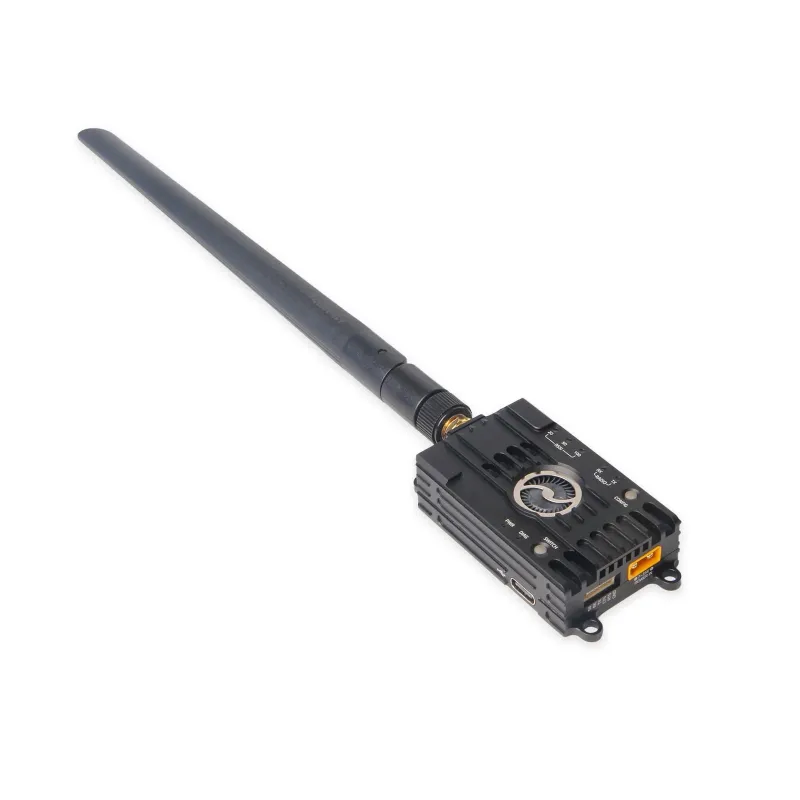
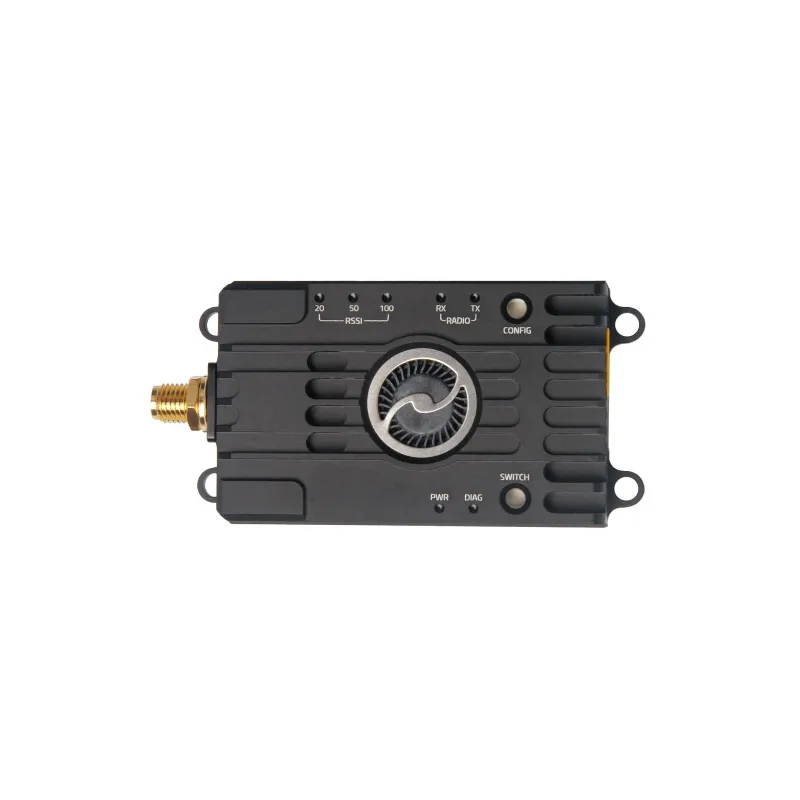

Holybro Microhard Telemetry Radio V2 is a Holybro catalog item in Telemetry & Data Links. Review the model details below and request compatibility and supply information for civilian use.
| Brand | Holybro |
|---|---|
| Model | Microhard Telemetry Radio V2 |
| Input Voltage | DC7~35V(4-position JST-GH) |
| Error Detection | 32 bits of CRC, ARQ |
| Antenna Gain | 5dBi |
Holybro Microhard Telemetry Radio integrates a Microhard Pico Series RF module, which is capable of delivering high-performance wireless serial communications in robust topologies, such as Point to Point, Point to Multipoint, and secure Mesh (Mesh only available on P900).It uses frequency hopping spread spectrum (FHSS) technology, providing reliable wireless asynchronous data transfer between most equipment types that employ a serial interface. The radio can be configured using AT commands through the Data port or using the PicoConfig application through the USB. V2 design now does not require a UART to USB adapter for configuration; a dedicated switch enables easy mode change to change firmware parameters.P900 Radio operates within the 902-928 MHz ISM frequency band, and P400 operates within 410-480MHz. You can select your radio based on your region's legal frequency band.
USB Type-C port, integrated USB to UART converter
6-pin JST-GH connector, which can be directly connected to the TELEM port on various flight controllers
XT30 power port with high voltage BEC onboard, supports DC7~35V voltage supply
UART transmission LED indicator
Three-stage RSSI LED indicator
Diagnostic Port LED indicator
Transmission within a public, license-exempt band of the radio spectrum
Transparent, low-latency link rates up to 276 kbps (P900) and 345 kbps (P860 & P400)
Supports a robust true Mesh operation with auto-routing (P900 Only)
32 bits of CRC, selectable retransmission, and forward error correction
Separate diagnostics port, transparent remote diagnostics, and online network control
Other Technical details and downloads can be found on the Holybro Documentation page.
Reference Links
Status LED Meaning
Default Setting
Enabling RTS / CTS Flow Control
Point-to-Multipoint Setup
1x Microhard P900/P400 V2 Radio
1x XT30 Power cable
1x XT60 Power cable
1x GH 6P to 6P cable
1x Type-C cable
2x Microhard P900/P400 V2 Radio
| P900 V2 | P400-C1S V2 | |
|---|---|---|
| Frequency Range | 902 to 928 MHz | 410 to 480 MHz |
| Transmit Power(software adjustable) | 100mW to 1W (20-30dBm) | 100mW to 1W (20-30dBm) |
| Link Rate | Up to 276 kbps | Up to 345 kbps |
| Serial Baud Rate | Up to 230.4 kbps asynchronous | 300 bps to 230 kbps |
| Spreading Method | Frequency Hopping Spread Spectrum (FHSS) | Frequency Hopping,GMSK, 2GFSK, 4GFSK, QPSK |
| Operating Modes | Mesh, Point-to-Point, Point-to-Multipoint, Store and Forward,Auto Routing, Self-Healing, Packet Routing Modes | Point-to-Point, Point-to-Multipoint,Store & Forward Repeater, Peer-to-Peer |
| Input Voltage | DC7~35V(4-position JST-GH) | |
| Power Consumption | Sleep < 1mAIdle 3.5mARx: 45mA to 98mATx: 1000mA to 1400mA | Sleep < 1mAIdle 20mARx: 45mA to 98mATx Peak: 2A |
| Error Detection | 32 bits of CRC, ARQ | |
| Antenna Gain | 5dBi | |
| Weight | 51g (w/o antenna)81g (/w antenna) | 51g (w/o antenna)76g (/w antenna) |
| Configuration | Manufacturer SKU |
|---|---|
| P900 / Single | 17035 |
| P900 / Pair | 17036 |
| P400 / Single | 17037 |
| P400 / Pair | 17038 |
Availability, price, package contents and hardware revision are confirmed on inquiry. This listing does not assert local stock, a delivery date or official distributor status. Confirm voltage, connectors, firmware and operating requirements before use.
These guides explain the setup, safety checks and accessory choices that usually matter for this product type.
Channels, receiver protocols, telemetry, range, redundancy and what to check before matching a transmitter to a model.
A practical binding guide for matching protocol, bind mode, receiver power, model memory, control checks and common binding mistakes.
Failsafe setup for electric and fuel aircraft: throttle behavior, receiver signal loss, switch positions and safe verification before flight.
Make an aircraft calmer for beginners by setting low rates, high rates and expo without hiding mechanical setup problems.
Ground checks, takeoff planning, trim passes, battery timing and first landing strategy for a new or repaired RC aircraft.
Tags: Holybro,
We use essential cookies to operate the store. Optional cookies are used only with your consent. You can read the full policy here.